

Website migration SEO checklist for moving to a new stack
An SEO website migration changes more than the technology behind a site. Moving to another CMS, frontend framework, hosting provider, or domain can alter the HTML, metadata, internal links, URLs, and the way crawlers access content, even when the design appears unchanged.
Search engines need time to recrawl and process pages. The team’s job is to preserve important signals, test the new version in advance, and prevent technical mistakes from turning temporary disruption into a prolonged decline.
Define the site migration plan and separate the risks
A migration can range from changing URLs or link structure to moving to another CMS, adopting a new framework, or switching hosting providers. Several of these changes may happen at the same time.
A crawler can receive a different result even when the URLs stay the same. A new frontend may change the order of HTML elements, how titles and canonicals are generated, the internal linking structure, or when the main content appears. A hosting change affects availability and response times. A new CMS may add “noindex” automatically, alter slugs, or rebuild the sitemap.
Before development begins, list every change and its possible impact. If the domain, design, content, and site architecture all change at once, the cause of a later decline will be hard to isolate. Separate major changes into stages where possible. If that is not possible, prepare checks for each layer and assign an owner.
Define success criteria in advance as well. Record which priority URLs must remain, the absence of critical indexing errors, working analytics, an acceptable traffic range, and the monitoring period after launch.
Establish a baseline and collect the URLs
Start the migration with a full crawl of the live site. The result is a snapshot of its current state: URLs, status codes, titles, descriptions, headings, canonicals, robots directives, internal links, and page depth.
A crawl provides the foundation of the URL list, but it does not cover everything. Some pages may have no internal links while still receiving organic traffic or backlinks. Add data from the XML sitemap, CMS, analytics, Search Console, backlink tools, and server logs. Track PDFs, externally linked images, campaign landing pages, feeds, and parameterized pages separately.
The baseline should include organic traffic, impressions, clicks, conversions, indexable pages, crawl errors, and Core Web Vitals. Compare individual sections and templates as well as the overall graph. A loss of visibility in one category can easily hide behind stable homepage metrics.
Next, identify priority URLs. These include pages with traffic, leads, backlinks, or high business value. They can receive stricter QA and a manual check immediately after the cutover.
Before work begins, save backups of content, media, configurations, and existing redirect rules. Old redirects are particularly easy to lose when changing platforms, even though external sites and bookmarks continue to request the previous addresses.
Inventory the content and prepare a URL redirect map
Choose an action for every URL: keep, update, merge, redirect, or remove. Base the decision on data and the page’s purpose. Moving every piece of accumulated clutter makes little sense, but deleting content simply because it looks old is also risky.
Keep a working URL when there is no strong reason to change it. A shorter slug rarely offsets the added risk. If the address does change, the old URL should lead to the closest relevant content on the new site.
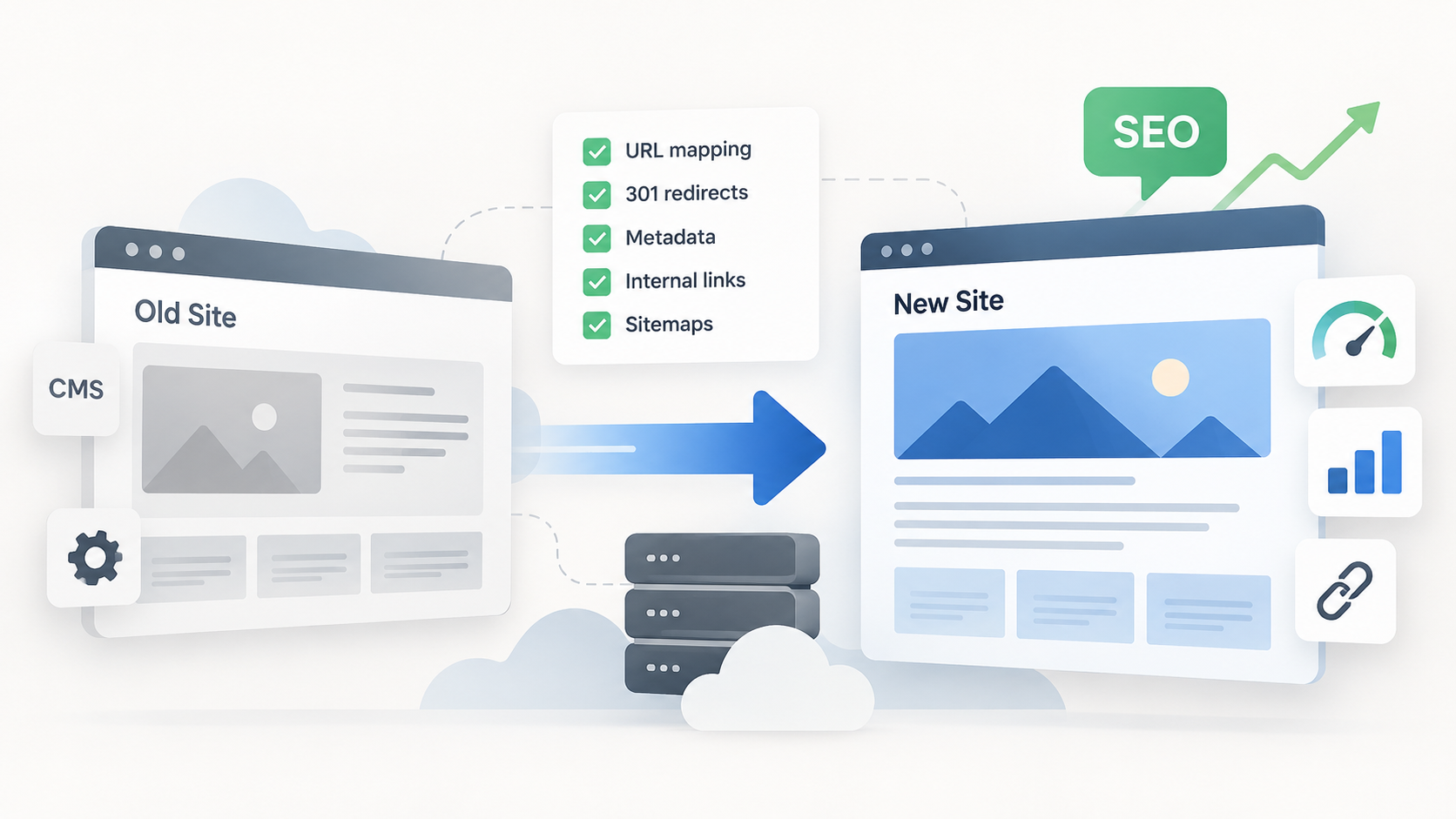
Record every relationship in a redirect map. Each row only needs the old and new address, page type, decision, priority, review status, and owner. The map becomes a shared control point for the SEO specialist, developer, and content team.
Use server-side redirects with a 301 or 308 status for permanent moves. They should point directly to the final URL. A chain of several redirects slows the request and makes diagnosis harder. Remove redirect loops before launch.
Do not send every deleted page to the homepage. If no equivalent exists, a proper 404 or 410 describes the situation more accurately. Add historical redirects from the old configuration to the new map and test them with the rest.
Migrate the content and search signals
A page can keep its address and still lose value because of a subtle template change. Compare the old and new versions by title, description, H1-H6 headings, main copy, alt text, canonical, and robots directives. Check the structured data and make sure it matches the visible content.
Review metadata together with the internal architecture. Navigation, breadcrumbs, related content, and contextual links communicate the site structure to crawlers. If a priority page moves deeper or loses incoming internal links after the migration, its URL has stayed the same but its role within the site has changed.
When moving to a JavaScript stack, check the rendered HTML separately. The main content, headings, links, and important metadata must be available after rendering. A standard link needs a real “href” so a crawler can discover the next URL. A client-side route that exists only as a click handler creates unnecessary risk.
Update the sitemap, hreflang, Open Graph data, and media links as well. New pages need correct self-referencing canonicals. Production must not inherit a block in “robots.txt”, a staging canonical, or a “noindex” directive used during development.
Test staging before the cutover
Protect staging from accidental indexing while keeping it available to the team and QA tools. Choose a protection method that can be removed through one controlled change before launch.
The main review compares two crawls: the live site and staging. Look for differences in status codes, metadata, headings, canonicals, robots directives, internal links, and crawl depth. Not every difference is an error, but the team should be able to explain each one.
Test the redirect map in the future environment or against prepared server rules. For every old URL, check the final status, target, and absence of loops or chains. A large URL set cannot be reviewed manually, so run it automatically and open the priority pages separately.
Staging QA should cover forms, search, analytics, consent, localization, and external integrations. Test performance and accessibility too. If the team changes a critical template after this review, repeat the related checks and crawl.
Define rollback criteria before launch. Widespread 5xx errors, unavailable primary templates, or lost analytics may justify restoring the previous version. A designated owner makes the rollback decision, not a random participant in a shared chat.
Run a controlled launch
Immediately before launch, synchronize the latest content changes and run a final crawl of the old site. Then switch the deployment or DNS, activate the redirects, and remove temporary blocks from the new version.
Run the first checks immediately. Open the homepage and priority templates, then inspect “robots.txt”, the sitemap, canonicals, forms, and analytics. After that, test the complete list of old URLs and review the final responses. At the same time, server logs can reveal 5xx errors, an unexpected increase in 404s, and problems loading resources.
A migration can temporarily increase crawler activity because search engines request the new URLs while following redirects from the old ones. Confirm that hosting capacity, caching, and critical services can handle the extra load without slowing priority pages or returning 5xx errors.
When changing domains, verify both versions in Search Console, including the relevant variants and subdomains. After the cutover, submit the new sitemap and complete the change-of-address process. This step is unnecessary when only the CMS changes and the domain stays the same.
Schedule the launch for a period of predictably low business traffic. Do not choose a window when the developers, SEO specialist, or decision owner are unavailable. The ability to fix a problem quickly matters more than a formally convenient date.
Post-migration SEO monitoring focuses on causes
During the first hours, monitor availability, 5xx and 404 responses, real-time traffic, conversions, and analytics. In the first few days, check crawling of priority URLs and the behavior of main templates. Over the following weeks, compare impressions, clicks, indexed pages, and landing page traffic with the baseline.
Investigate sharp changes by section and page type. Possible causes include a forgotten “noindex”, an incorrect canonical, missing content, changed internal links, a rendering error, or an incomplete redirect map. The overall ranking graph only shows the symptom.
Website migration SEO checklist:
- production is available to users and crawlers;
- temporary “noindex” directives and crawl blocks are removed;
- canonicals, the sitemap, and hreflang use production URLs;
- priority pages return the expected status;
- old addresses lead directly to relevant new pages;
- there are no loops, chains, widespread 404s, or 5xx errors;
- forms, analytics, and conversions work;
- monitoring is configured by section and template, not only for the site as a whole.
Keep permanent redirects for at least a year and longer where possible. Deployment begins the monitoring phase. The work is complete once search engines have processed the new addresses, the metrics have stabilized, and the team has resolved the discrepancies found during monitoring.
FAQ:
- Is a temporary loss of organic traffic inevitable after a website migration? Some fluctuation is possible while search engines recrawl and process the new site, but a major decline is not inevitable. Preserving URLs, content, metadata, internal links, rendering, and redirects reduces the risk and makes later changes easier to diagnose.
- When should an old URL return a redirect, 404, or 410? Use a permanent 301 or 308 redirect when a relevant replacement exists. If the content has been removed without an equivalent, a genuine 404 or 410 is more accurate. Sending unrelated pages to the homepage can confuse users and create soft 404 signals.
- When is a website migration actually complete? Deployment is only the start of monitoring. The migration is complete when search engines have processed the new URLs, important metrics have stabilized, and the team has resolved indexing, redirect, content, rendering, and analytics discrepancies. Permanent redirects should remain for at least a year and preferably longer.
- How does Bato Web Agency prepare a website migration? Bato Web Agencycreates a baseline crawl, combines URLs from the sitemap, CMS, analytics, Search Console, backlinks, and logs, and identifies priority pages. The team then prepares a reviewed redirect map, compares the live and staging crawls, and defines launch and rollback criteria.
- How does Bato Web Agency manage launch and post-migration monitoring? We run a final pre-launch crawl, synchronize recent content, perform a controlled cutover, and immediately check priority pages, robots directives, canonicals, redirects, forms, and analytics. Monitoring then continues by section and template across the first hours, days, and weeks.