

Why small and large website projects need a design system
A design system is often pictured as a large component library that is excessive for an ordinary website. In practice, any project benefits from a system when decisions repeat and the interface will keep changing. Only the scale differs. A small site may need a few rules and base components, while a large organization may need versioning, governance, and a dedicated process for developing the system.
A design system is not a UI kit
A UI kit usually contains ready-made elements in a design tool, such as buttons, fields, cards, and popups. It speeds up mockup creation but says nothing about how those elements are implemented, when to use them, or who is responsible for changes.
A design system combines several parts. A brand guide describes the brand identity and communication rules. A style guide records colors, typography, spacing, and image usage. The component library contains implemented elements ready for production.
The design system brings these parts into a working process. It includes foundations, tokens, and components, with patterns added for larger scenarios. Content rules and documentation explain how to use the system. A change process prevents the library from gradually filling with similar buttons and outdated local variants.
A separate style page does not make a project a system. The value appears when designers, developers, and content editors use the same names and understand the boundaries of each component. Design needs a clear connection to implementation, while the documentation should answer practical questions: what to choose, how to configure it, and when a component is unsuitable.
Where design debt comes from
Design debt accumulates quietly. The team builds the first page and chooses blue for the primary button. The second page uses an almost identical shade under a different name. Then one designer uses 24 pixels of spacing, another uses 20, and the developer has to add a local exception.
Each decision looks harmless on its own. The problem becomes visible when the team needs to change the brand style, fix a focus state, or build a new section. Nobody knows which value is the primary one or where the copies are used. The fix has to be repeated manually, and some screens still remain outdated.
Debt also develops between design files and production. A component changes in the design tool but not in code. Or a developer fixes form behavior while the design library still shows the previous version. After a while, the team stops trusting the source of truth and returns to copying the nearest suitable screen.
Project size is not the main factor. A disposable prototype may work without a system. A small site that gets new pages every month can quickly face the same consistency problems as a product team.
The layers of a working system
The first layer is foundations: color, typography, grid, spacing, radius, elevation, motion, and breakpoints. Design tokens give these decisions names. A raw token such as “blue-600” describes a specific value. A semantic token such as “color-action-primary” explains its purpose. If the primary brand color changes, the team updates the value instead of searching through every mockup and style.
The next layer contains components. A button, input field, or navigation element needs defined states, variants, and responsive behavior. A good component API exposes the necessary options without allowing every detail to change freely. Otherwise, the shared component turns back into a collection of unrelated instances.
A similar appearance does not always mean the same component. A link and a button can look alike while performing different actions and carrying different semantics. Behavior matters more than a visual match.
Patterns solve larger tasks such as form validation, search, onboarding, empty states, and landing page sections. They combine several components and describe the interaction sequence. This layer also makes one limitation clear: an accessible button does not guarantee an accessible user journey.
Each component should document its purpose, usage examples, constraints, and states. Content requirements and readiness status belong there as well. A short explanation next to a working example is usually more useful than a long presentation that nobody updates.
How to build a website design system
Start with a design system audit of the live interface and design files. Record repeated patterns, conflicting values, local component copies, missing states, and places where design and production disagree.
Then define foundations and semantic design tokens, implement only components that already repeat, and document their states, content limits, accessibility behavior, and responsive rules on a live style guide page. Assign ownership and a lightweight change process so the system can evolve without collecting another layer of local exceptions.
A minimum design system for a small project
A small team does not need a separate department or a complex approval process. A Minimum Viable Design System that covers confirmed repetition is enough.
Start with a palette, type scale, spacing set, container, and radius. Then add elements that genuinely appear across several pages: buttons, links, form fields, cards, the header, and the footer. Record the main variants and states, including hover, focus, disabled, success, and error where they apply.
Collect these decisions on a live style guide page. The team can see components with real content, long headings, and different states. A few usage notes beside them are enough. Explain when to use a primary button, how many primary actions a section can contain, and how to write a form error.
Do not build a universal component in advance for a dozen hypothetical scenarios. If the interface is still changing, an early abstraction can lock in an accidental decision. Start small, observe what repeats, and expand the system as the project develops.
Even a simple change process helps. One person proposes an update, another checks how it affects existing pages, and then the team updates both the component and its note. That is enough governance for a small system.
What changes as the product grows
Local agreements become insufficient when several products, brands, platforms, or locales appear. Teams need a controlled way to receive updates and understand which changes remain compatible with their current interfaces.
The system gains versioning and component statuses such as proposed, beta, stable, and deprecated. A deprecated component includes a replacement and a migration deadline. Removing a component without warning shifts the update cost to product teams and weakens trust in the shared library.
Governance defines who approves changes and how other teams can propose a new pattern. A useful proposal describes the problem, real use cases, accessibility requirements, and the migration impact. The process should be easier than the mistake it prevents. If approving a button takes weeks, product teams will work around the system.
At this scale, the design system becomes an internal product. It has owners, a roadmap, a support channel, and clear release notes. Its documentation is not only for designers and developers. Content teams, marketers, and specialists who assemble pages from ready-made templates use it too.
Connecting design system with production
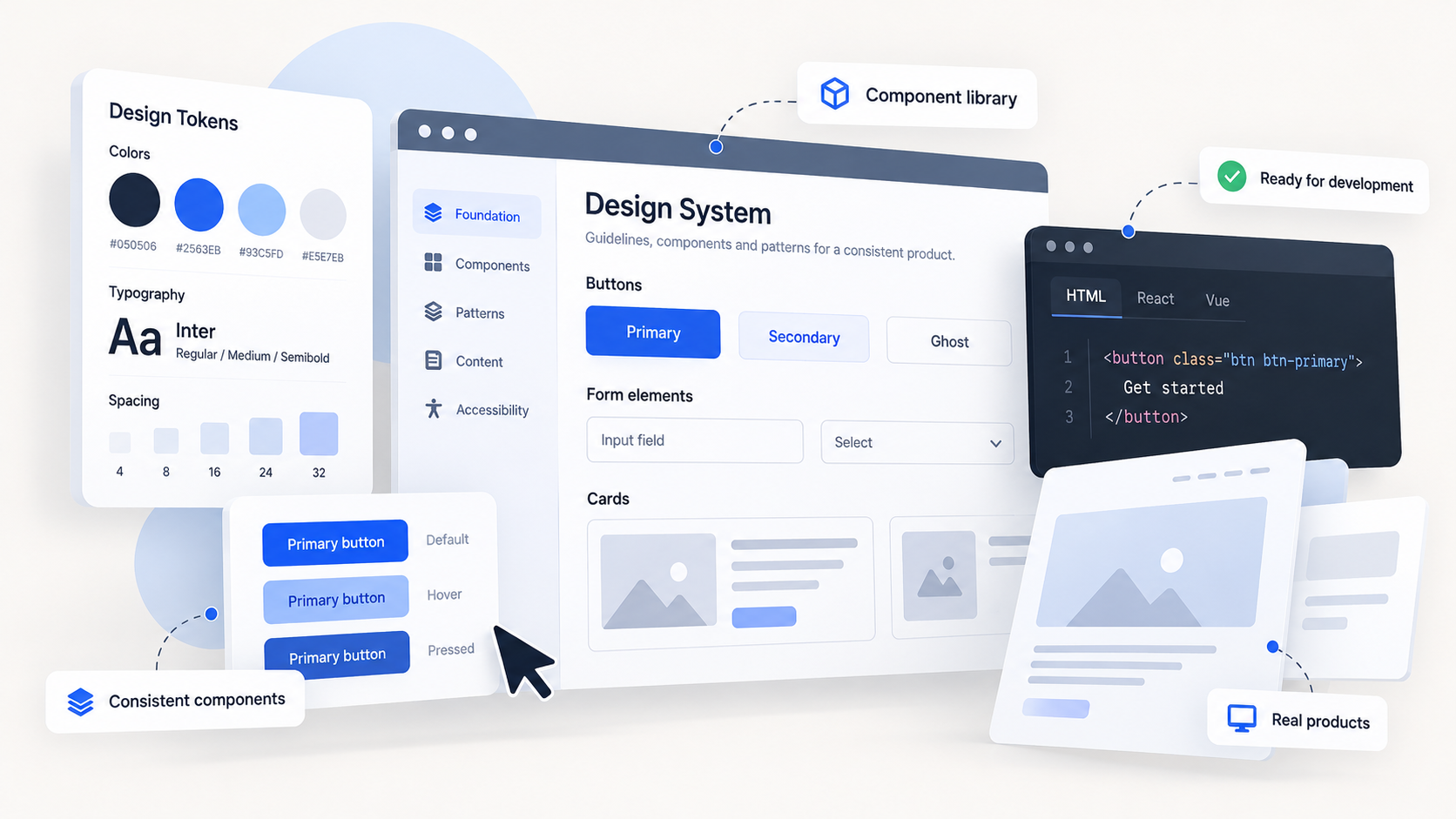
Token and component names should correspond between the design tool and the implementation. Full automatic synchronization is optional. The team mainly needs to know which source is authoritative and follow one sequence for approving changes.
In Webflow, variables, classes, components, page templates, and Libraries create this connection. Variables store recurring values and update the related styles. Components define the structure of repeated blocks while exposing supported properties or variants. Shared Libraries let teams use common components, variables, and assets across several sites in a Workspace.
Tools do not define the architecture by themselves. The team still decides what counts as a token, where a component is needed, and how much freedom an editor receives. An overly flexible template makes the system easy to break. An overly rigid one forces people to create copies for every new scenario.
Keep the accessibility contract with the component. It describes semantics, the accessible name, roles and states, keyboard behavior, and focus management. Adding ARIA attributes is not enough for complex widgets. The developer must also implement the expected keyboard interactions.
Localization belongs in the same place. Test components with long text, right-to-left direction, and different data formats. The system reduces repeated mistakes, but it does not replace manual testing of the assembled page and the complete user journey.
When a design system pays off
A design system is useful when an interface contains repeated patterns, several people work on it, and changes will continue after launch. The system’s scale should match the cost of inconsistency. A landing page may need only variables, a few components, and a style guide page. Several products may need a shared library, versioning, and governance.
Before starting, run a design system audit:
- do identical elements appear with different styles and names?
- do the design files and production implementation disagree?
- does one change need to be fixed manually across many pages?
- do teams create local copies of shared components?
- are focus, error, loading, and other important states documented?
- can components handle long text and different locales?
- is ownership of shared decisions clear?
- can a component be updated without unexpected effects on other pages?
The number of components is a poor design system metric. Better design system metrics include adoption, coverage of common scenarios, the time needed to build a standard page, the number of local overrides, and the volume of deprecated solutions. If the library grows while teams keep copying old screens, the original problem remains.
A full design system creates unnecessary work for a disposable prototype. In a growing project, basic rules start saving time as soon as the next screens are built. The initial set can be small. What matters is that the team actually uses and maintains it.
FAQ:
- Does a small website really need a design system? A small website benefits from a system when components repeat and the site will continue changing. It may need only shared variables, a few reusable components, documented states, and a live style guide rather than a large library and formal governance process.
- What is the difference between a UI kit, a component library, and a design system? A UI kit contains visual elements for creating mockups. A component library contains implemented production elements. A design system connects foundations, tokens, components, usage rules, ownership, and a process for keeping design and production aligned.
- How can a team measure whether its design system is working? Useful indicators include adoption, coverage of common scenarios, the time required to build a standard page, the number of local overrides, and the use of deprecated components. A growing library has little value if teams continue copying old screens.
- How does Bato Web Agency create a minimum design system for a website? Our team audits repeated decisions and inconsistencies, then defines the core palette, typography, spacing, containers, tokens, and shared components. The team documents real variants and states on a live style guide page instead of building components for hypothetical scenarios.
- How does Bato Web Agency keep design and production aligned? We use corresponding names for tokens and components in design and implementation, define which source is authoritative, and update documentation with each approved change. Accessibility behavior, content limits, localization, and responsive states remain part of the component specification.